Configuration Differencing
Configuration differencing gives you a reliable, evidence‑based view of your estate’s configuration health. It helps you spot issues early, validate system changes with confidence, and maintain consistent configurations across environments. This leads to faster troubleshooting, fewer production surprises, and stronger control over the stability and security of your systems.
It also plays a key role in governance and compliance. With a verified record of configuration states retained over time, you can track system evolution, demonstrate adherence to internal policies, and support audits with clear historical evidence. This reduces operational risk and reinforces trust in the integrity of your environment.
Configuration differencing provides an independent, data‑driven way to answer three essential questions:
-
What changed? – Identify adds, removals, and modifications between two scan dates for a single node.
-
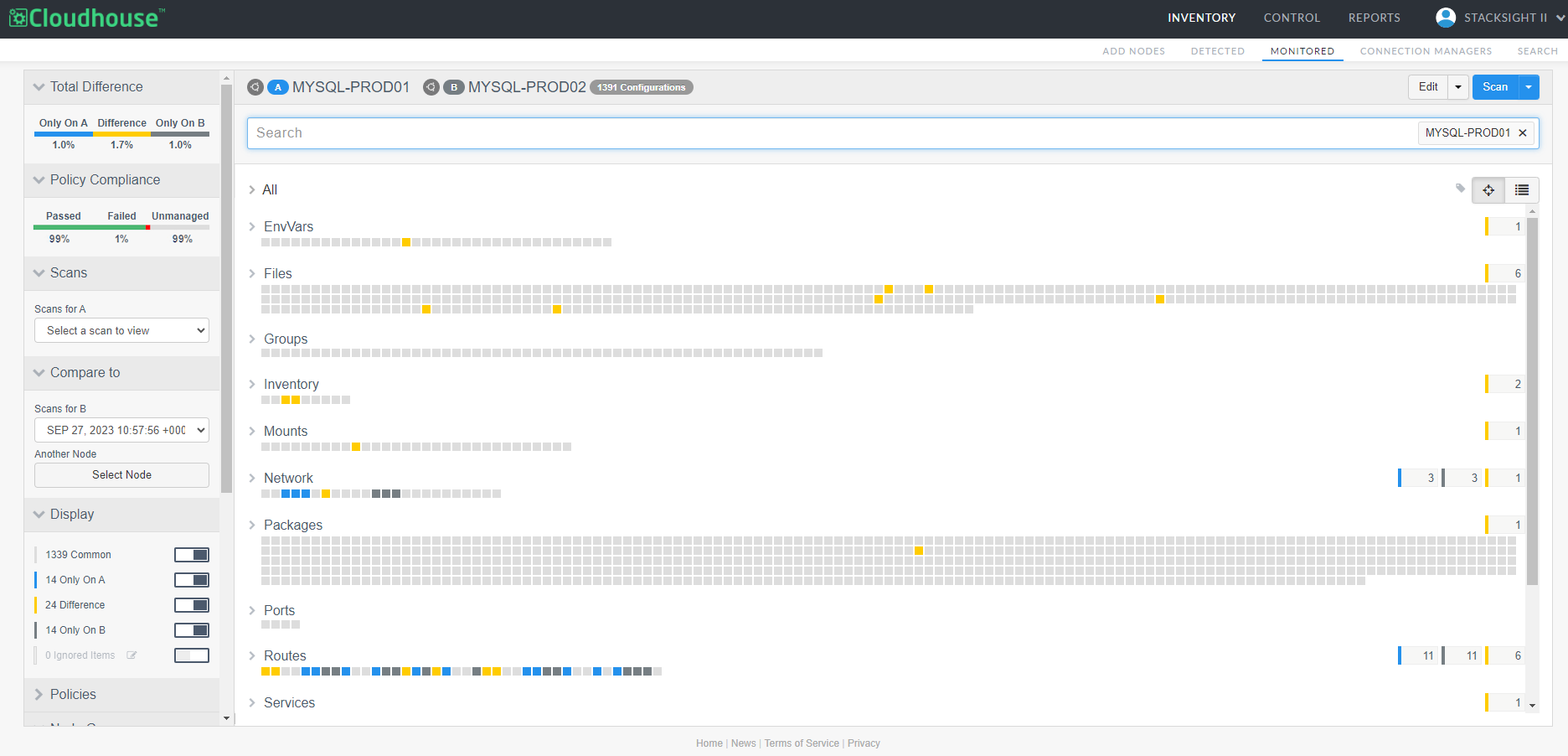
Where do systems differ? – Compare two nodes to see items unique to each, and items that exist on both but with differing attributes.
-
Is the change approved? – Reconcile changes against policies and change processes to prove compliance and flag deviations that require investigation.
Accessing Configuration Differencing
The Node Groups drop-down menu on the Monitored tab (
Types of Configuration Differencing
When generating a difference report for configuration items, there are four different types of data sets you can choose to difference:
-
Scan Differencing – Difference two scans of the same node. For example, you could select a scan for January 20th 2026 and compare it to a previous scan from January 20th 2025 to track the changes in configuration items between those two scan dates. For more information, see Scan Differencing.
-
Node Differencing – Difference the scans of two separate nodes. For example, you could select a scan for node A and compare it to a scan of the same or different date for node B to track the differences and similarities between the configuration items for the selected nodes. For more information, see Node Differencing.
-
Group Differencing – Difference the scans of three or more nodes, similar to the Diff Nodes process. Additionally, you can difference the complete set of nodes within two or more node groups. For more information, see Group Differencing.
Note: When differencing two or more node groups, the report is automatically populated with the most recent scan data. You cannot select a different scan date. The focus, in this scenario, is on tracking the similarities and differences between the two node groups' configuration data.
-
File Differencing – Difference files allow you to track changes in file contents over time and ensure data consistency. You can make different combinations of configurational differences based on nodes, scans, or files. For example, you can compare the same file on two nodes or compare two different scans of the same file. For more information, see File Differencing.