Sometimes a Cloudhouse Guardian (Guardian) Engineer may ask you to view your browser's Web Console to help debug an error message. The following article chronicles how to access your browser console for a range of common Web Browsers.
Note: If you don't see your browser below, or the steps for a browser version are not matching yours, please contact Guardian Support.
Microsoft Edge
To access the Web Console in Microsoft Edge, complete the following steps:
Note: Tested with Edge v20.
-
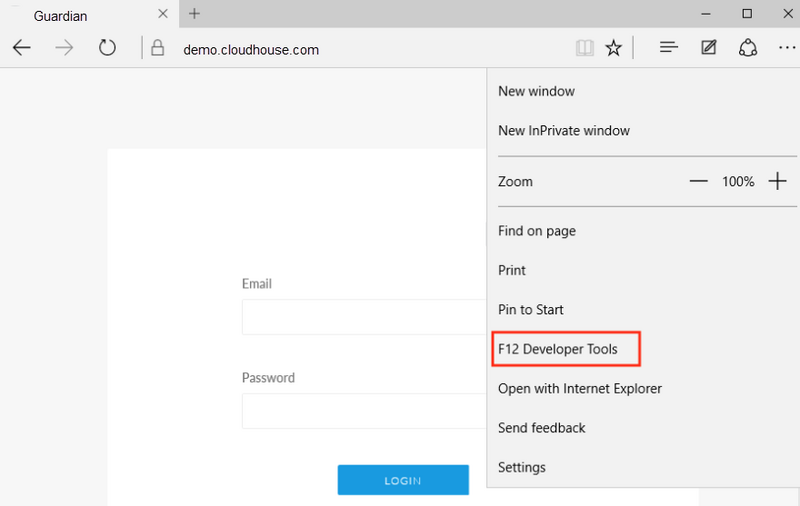
Click the Ellipsis (...) button.
-
Then, click Developer Tools.
Google Chrome
To access the Web Console in Google Chrome, complete the following steps:
Note: Tested with Chrome v85.
-
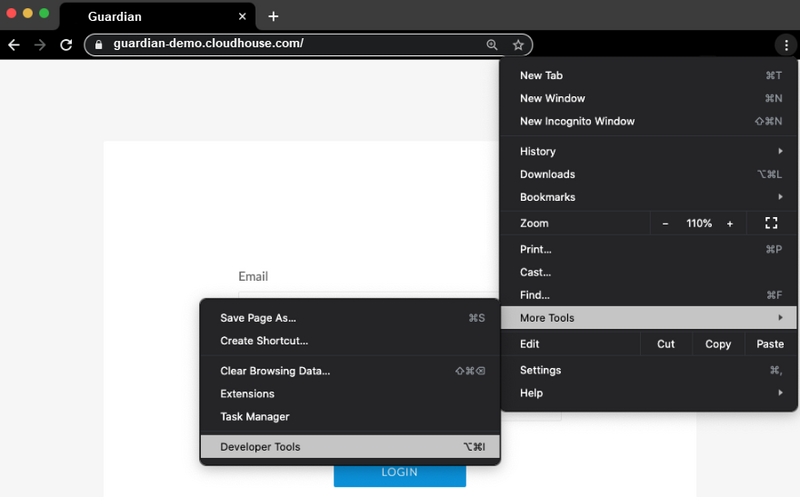
Click the Ellipsis (...) button.
-
Then, click More Tools > Developer Tools.
-
Locate the Console tab.
Firefox
To access the Web Console in Firefox, complete the following steps:
Note: Tested with Firefox v80.
-
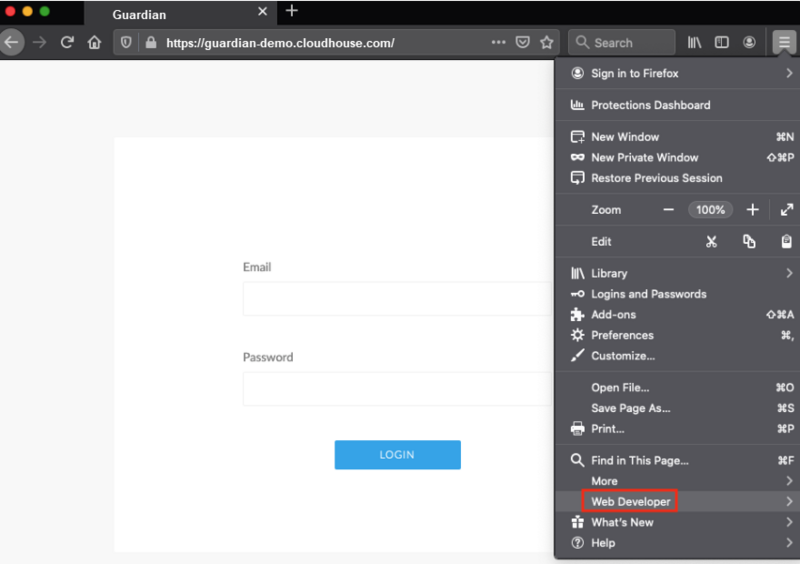
Navigate via the menu to Web Developer.
-
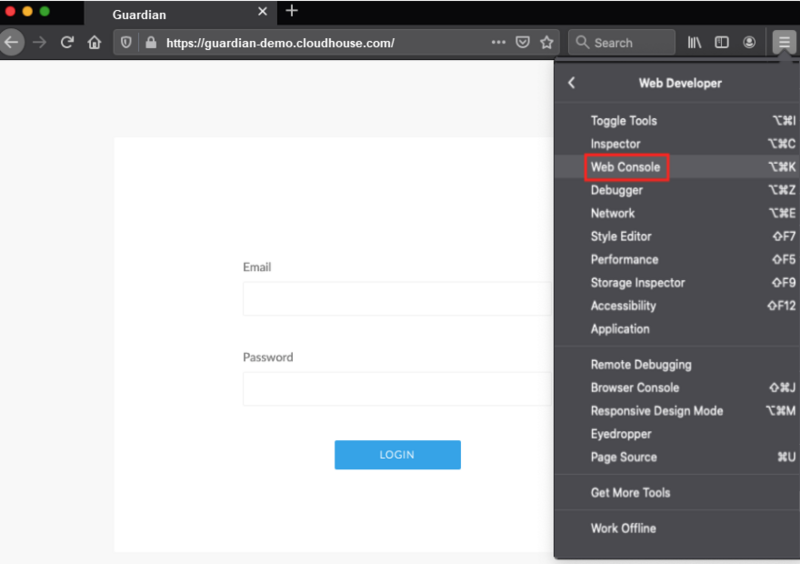
Click Web Console.