March 2026 Monthly Release
For help upgrading to the latest version, contact your Cloudhouse Representative. The following table describes each component available to upgrade within this release of Cloudhouse Guardian (Guardian).
Tip: For more information on the known issues currently present within Guardian, see Known Issues.
| Release Date | Guardian Platform | Guardian Web |
|---|---|---|
| 26th March 2026 | V4 | V3.64.4 |
Guardian Web Application V3.64.4
Here's what's included in V3.64.4 of the Guardian web application as part of the March 2026 monthly release.
New Features
The following new features are included within this release of the Guardian web application.
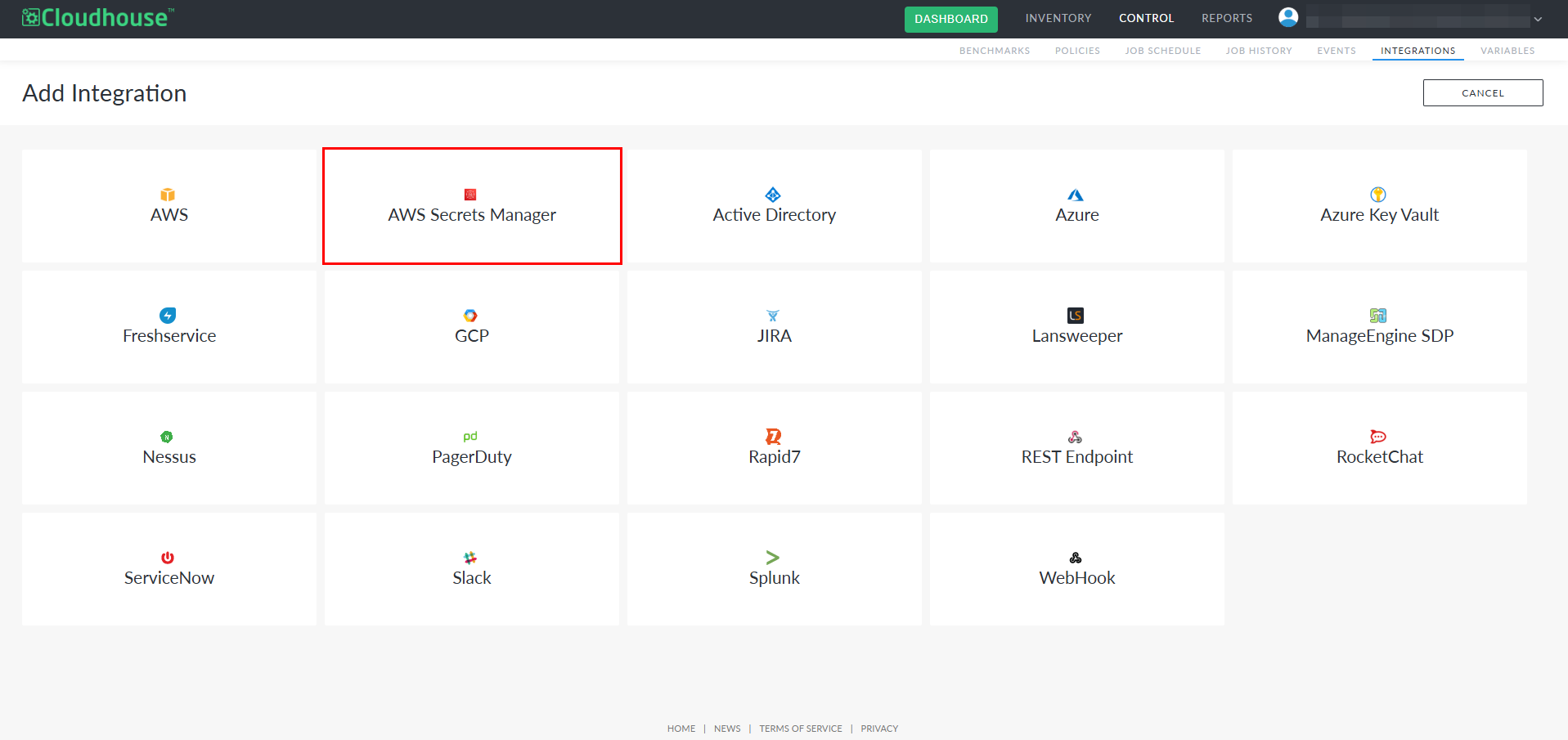
AWS Secrets Manager as an Integration Type
As part of this release, we have introduced a new integration type, AWS Secrets Manager, to the Integrations tab (Control > Integrations). This integration allows you to connect your Guardian instance to an AWS Secrets Manager environment and synchronize credential data stored within it. Once added, the integration behaves like other Guardian integrations, such as Azure Key Vault or Secret Server, enabling you to configure credentials, manage the integration from the Integrations tab, and review related activity through the View Events drop-down menu for auditing and troubleshooting.
Tip: For more information on this new integration type, see AWS Secrets Manager Integration.
AWS Secrets Manager as a Credential Source
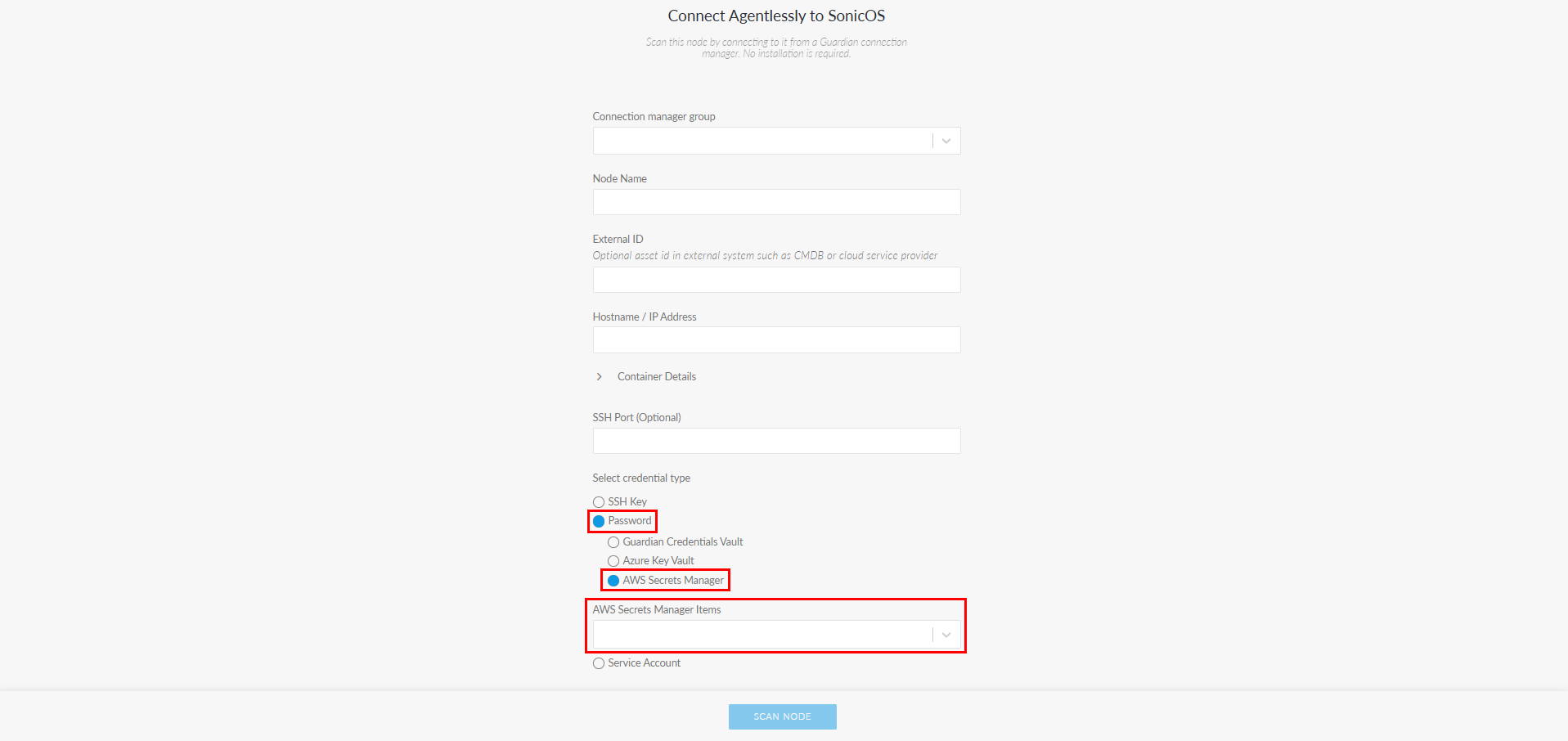
A new credential source, AWS Secrets Manager, is now available when selecting Password as the credential type when adding a Windows, Linux or Network device node from the Add Nodes tab (Inventory > Add Nodes). When selected, Guardian retrieves the username and secret directly from your organization’s AWS Secrets Manager Integration, allowing you to choose from a list of your stored credentials by selecting an option from the AWS Secrets Manager Items drop-down list. This enhancement centralizes credential storage, reduces manual entry, and adds support for secure, cloud‑hosted credential retrieval when adding nodes.
Tip: For more information on this new credential source, see AWS Secrets Manager Credentials.
Other Enhancements
The following additional enhancements are included within this release of the Guardian web application.
Security Updates
This release includes a series of security and text‑handling improvements across Guardian. These updates ensure that any information provided and stored within Guardian is processed more safely, contributing to the overall stability and security of the platform.
Improved Event Query Handling During Export
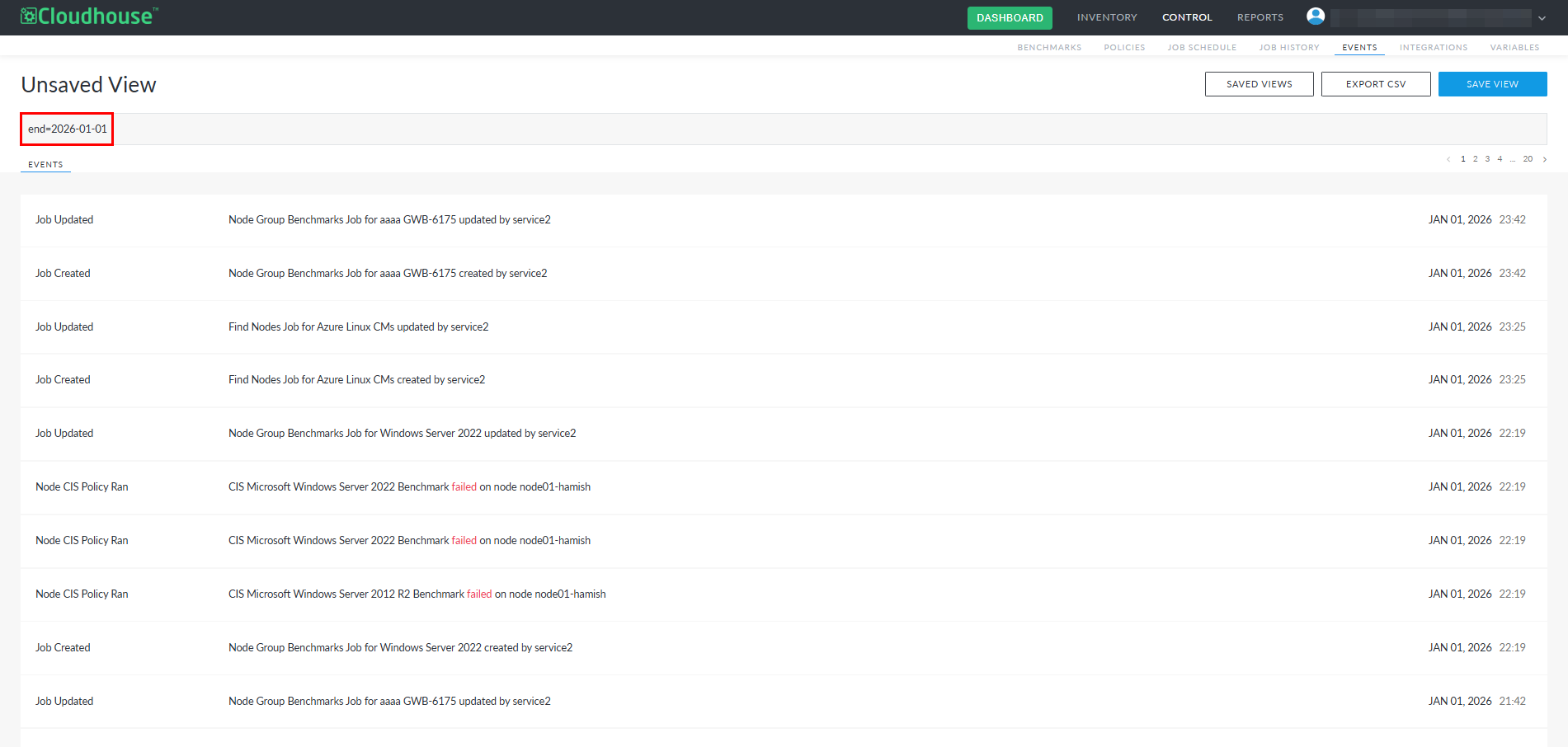
The Events tab (Control > Events) now supports a more flexible and intuitive search and export experience. Previously, event searches required the 'type=' attribute before any other parameters could be applied, often resulting in multiple searches and repeated exports. The search functionality now accepts attribute‑based queries directly, allowing parameters such as 'environment=', 'nodegroup=', 'start=', and 'end=' to be used independently or together. Exports now reflect the full set of results returned by these broader searches. This update provides a simpler and more powerful way to retrieve comprehensive event data in a single query.
Note: For more information, see Events.
Fixed Issues
The following issue has been fixed within this release of the Guardian web application.
| GWB-6509 – Daily Default Environment Scan Generated Multiple Emails and Events | |
|---|---|
| Affects Versions: V3.61.3 | Fix Version: V3.64.4 |
| Problem: |
In the Events tab, multiple 'Environment Scanned' events for the same Job ID were being logged within minutes of each other, all displaying identical pass/fail counts. However, the Job History tab (Control > Job History) correctly listed only a single job for the same time period. This caused repeated entries in the Events list and resulted in duplicate email notifications. The behavior indicated that only one scan was running, but the same event was being recorded and notified multiple times. Note: For more information, see Events. |
| Solution: |
Event handling for the 'Environment Scanned' event has been updated to ensure that each job generates only one event. Additional safeguards prevent repeated events and duplicate notifications for the same Job ID. As a result, the Events list now shows a single entry per completed job, notifications are sent once, and the Events and Job History tabs remain consistent. |